Tag Archives: promotion

What do you meme?

If you know how to pronounce “meme”, you should get the jokey title. And if you don’t, don’t worry – you’re not alone! I kept calling them “me-me” up until the last week, and why not? Please, somebody, explain, why is it that a new word gets invented in this day and age, which is hard enough as it is, and for some reason it has to be pronounced exactly counterintuitively? I’ve made my peace with “choir” and “sixth”, and “knife”, because they were invented by your ancestors back when there was no electricity or canalisation. (My ancestors invented Russian, and yeah, it’s not for beginners either).

But why now? Why do you have to remember that a word spelled “meme” is actually pronounced “meem”? Is it to separate those “in the know” from late adaptors? Anyway, enough ranting, let’s get to what I actually was very excited to tell you – despite my pronunciation shortcomings, I now meme with the best of them.

Oh, and if you have not come across the term before – meme is basically something that goes viral, like a funny picture with an even funnier caption. Basically, every LOL CAT ever made. Here is my favorite one of all time:
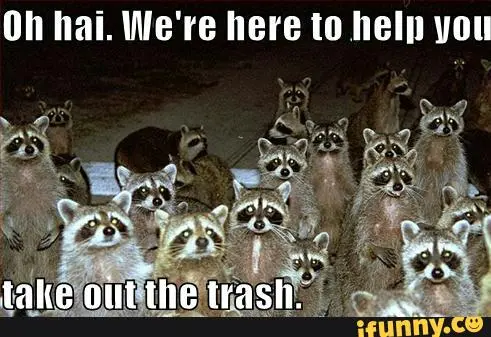
raccoon meme

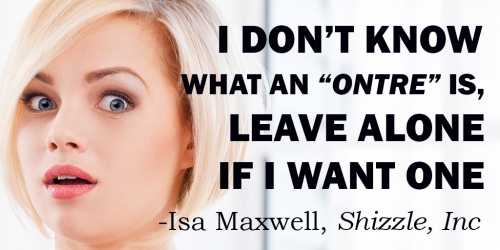
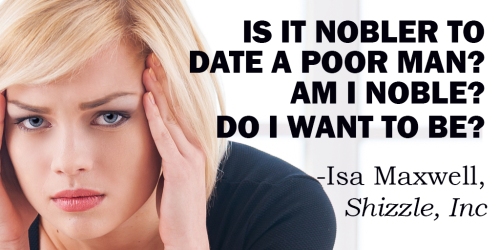
I was posting quotes from Shizzle, Inc to my Buffer account, which feeds my Twitter, when it occurred to me that I could easily turn some of those quotes into memes. I was so excited with visions of the Internet exploding with all the sharing of Isa’s dubious wisdom, that I made a few of them right away:
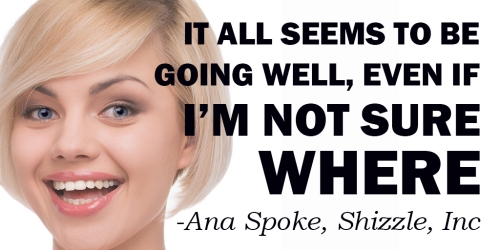
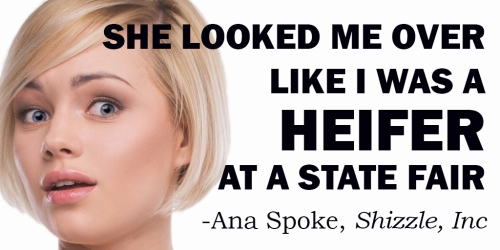
Meme1

Meme2

Meme3

Meme4

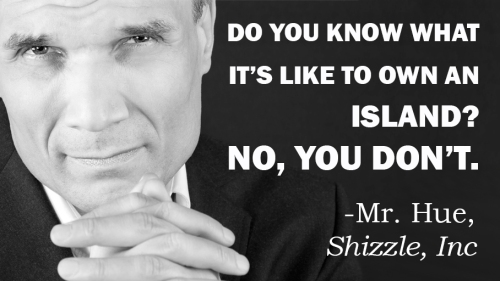
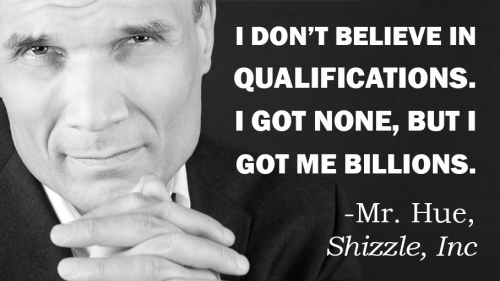
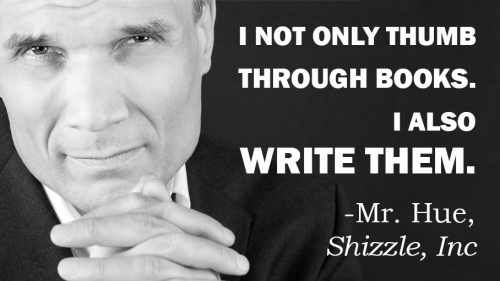
I was so excited, that I even made a few with Mr. Hue:
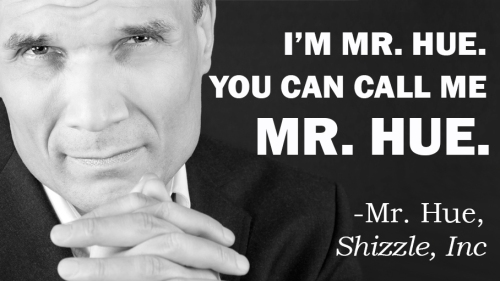
Meme #5A - smaller Mr HueMeme #9 Mr HueMeme #6 Mr HueMeme #7 Mr Hue

So, have they gone viral? Well, not exactly (yet), but I’ve had a lot more “engagements” with these memes instead of the same quotes, which I’ve twitted before with links to Shizzle, Inc Amazon sale page. My average engagement rate with quotes was 1-2%, but the memes got 3-8% engagement.

The only issue was, memes did not get retwitted as much, so the number of impressions was lower. Still, where my quotes got 2-3K impressions and 20-30 “engagements” each, memes got anywhere from 1k to 2K impressions, but 30-80 engagements each. Not only that, my average sales per day (without any other promos) went from an average of 0.5 books per day to 1.5 books per day during last week. Not huge numbers, but enough to have me excited about making more of these…maybe introducing other characters as well?

Of course, I have to share lessons learned, the major one being the size and orientation of the photo. The very first meme I made looked like this:

Meme #3

I thought it was pretty good at the time, but the problem was that when it got uploaded to Twitter, it ended up looking like this in the feed:
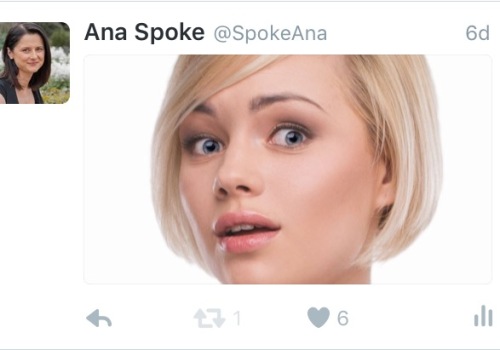
FullSizeRender (2)

That was a lesson in “don’t do anything without research”. I had a look at the suggested photo proportions and found that 1:2 was recommended, or 512×1024 pixels. I reformatted my meme. Close, but no cigar:
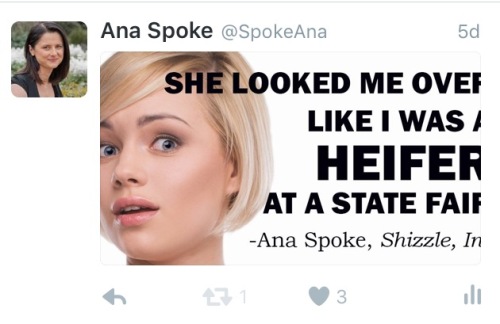
FullSizeRender (3)Finally, after a few trials, I figured out a perfect size: 512 pixels high by 908 pixels wide. The 1:2 ratio may have been true once, or maybe it’s a simplified version of 512:908, but I do believe my ratio is better:
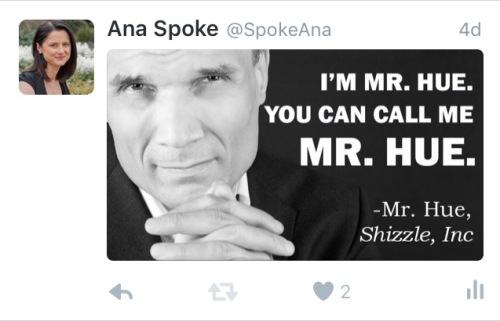
FullSizeRender (4).jpg

I am using Photoshop to create my memes, but you can also use free online software – just google “free meme maker”. I can’t recommend any, unfortunately, because I have not tried them. If you do try a meme or two of your own, please let us all know how it has worked for you.

Have fun!
70 Comments

Filed under Self-publishing and marketing

This is how to get your book into a bookstore’s front window

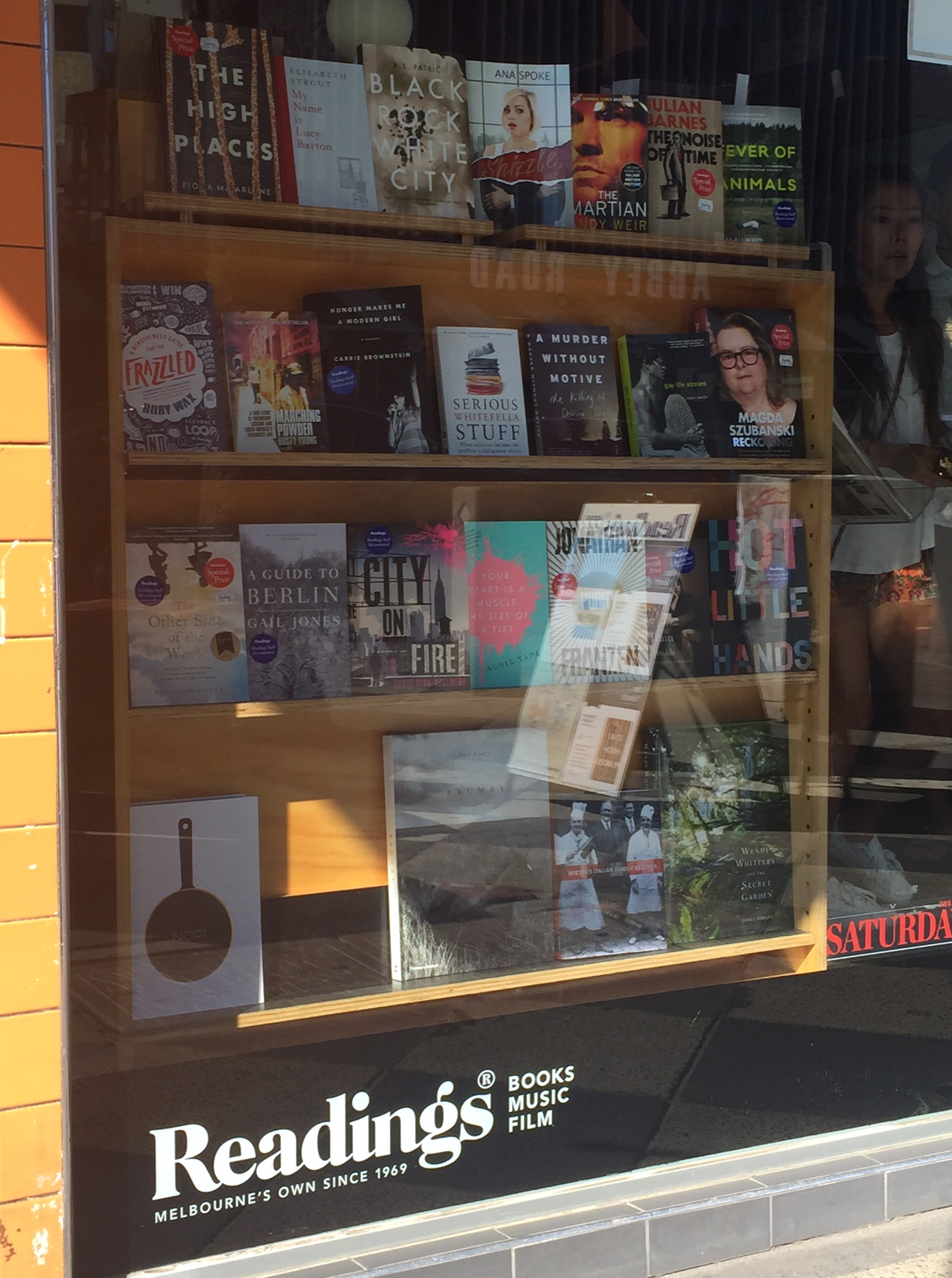
If you walk past St. Kilda Readings today, you may notice a familiar cover in its window:

Book in front shop window sideways

No, not The Martian! Right next to it, look!

Book in front shop window close up

Yep, there she is, looking a little freaked out to be in such distinguished company. How did she get there, you ask?

Turns out that all you have to do is ask.

This has gone a long way to power up my batteries – I’ve been feeling a little down lately and ended up reading a few ugly articles thrashing self-publishing, one going so far as to declare that self-published authors are “neither published, nor authors”. Well – up yours, dear critic. If it looks like a book, and it reads like a book, and, gosh darn it, people like it and are willing to display it on the top shelf next to a bestseller – well, that means I’m a published author. And the fact that I did it all myself makes it that much more special.

Aaaaahhh…Isn’t life grand?

101 Comments

Filed under Shizzle, Inc.

How to make Goodreads giveaway widget work on WordPress.com

Have you tried and failed to include Goodreads Giveaway widget on your WordPress.com site? Have you tried reading forums, only to find that the reason for it is that Goodreads uses Java or whatever else WordPress.com doesn’t allow? Oh, good, so I’m not the only one…

I was so frustrated with this previously, that I created a work-around using an image widget. I was happy with that for a while, but the image suggested that only few people have requested my book, when in actuality it was 1,699 over 2 weeks! I have just started a new giveaway, and already over 350 people have requested a copy, in less than 15 hours!

So I found a different work-around. Cause I just don’t take “no” for an answer and cause I feel omni-potent, having learned the very basics of HTML. Also, probably, cause I’m Russian-born, and we’ve been known to fix space stations with hammers. In movies, mind you, but that’s probably not that far from the truth.

WARNING: my method is equivalent to smashing the widget with a hammer. If you are a programmer, avert your eyes…

To start with, you need to get the code, which is available on your giveaway page:

Giveaway code

Then you need to create a new text widget in WordPress.com, copy and paste the Goodreads html code into its content window. Unfortunately, this is what it will look like on your website:

Giveaway widget before deletions

Ugh, right? Enough to make you want to give up…unless you are willing to keep smashing the widget playing with code until you figure out what needs to be deleted. Feel free to play yourself, or follow these simple steps:

STEP 1: delete all of this code from the beginning of the code script, up to and including this bit:
.goodreadsGiveawayWidgetEnterLink:hover {
color: #181818;
background-color: #F7F2ED;
border: 1px solid #AFAFAF;
text-decoration: none;
}

Have a look at the picture above – it is basically the naked HTML that was visible above the “Goodreads Giveaway” title.

STEP 2: delete the very end of the script:

<a class=”goodreadsGiveawayWidgetEnterLink” href=”https://www.goodreads.com/giveaway/enter_choose_address/168663″>Enter Giveaway</a>
</div>
</div><a href=”https://www.goodreads.com/giveaway/widget/168663″>https://www.goodreads.com/giveaway/widget/168663</a&gt;

That’s the link to the actual entry form. Unless you want to keep it, but I prefer the cleaner look, which goes to the giveaway page.

STEP 3: play with the code! For example:

A. I found the “text-align: center” and changed it to “text-align: left” to match my other widgets.

B. Clicking on the picture took you to the book page (with giveaway button underneath). I wanted it to point directly to the giveaway page – so I found the page I wanted, copied the url, then found the following bit of code in the second paragraph and carefully replaced the http address with the preferred one:

highlighted code

That’s it! Once you are happy with the way it looks, move the widget to the desired position, and voila! It looks great in my sidebar now.

Have fun!

15 Comments

Filed under Self-publishing and marketing

New Rafflecopter giveaway – win one of 25 digital copies of Shizzle, Inc!

Thank you to whomever mentioned this idea in comments! I’ve decided to take a plunge, although a free one at first, and created my very first giveaway on Rafflecopter. It was ridiculously easy to set up and the giveaway is free of cost to everyone – I am on the free plan with Rafflecopter, and giving away ebooks, so it will be just a matter of time to send files to the winners. The giveaway will run for 10 days and, as always, I will update you on the stats. I will also post my thoughts on whether or not I will upgrade to a monthly plan.

This time, in addition to more reviews, I hope for an impact on social media – in order to win, one would have to either follow me on Twitter, or tweet a message (or both, if they want to increase their odds of winning). I think multiple entries are allowed, so lets see what happens – currently I have 38, 705 followers.

Have you done one of these yourself? Was it worth it?

I will also test Amazon giveaways shortly, and will write a comprehensive comparison of all three soon.

24 Comments

Filed under Self-publishing and marketing

Best Goodreads Giveaway yet – #24 on Most Requested list!

I still can’t believe it! My second giveaway for Shizzle, Inc lasted two weeks and it was requested by 1,699 people – enough to make it onto the front page of the Goodreads Most Requested list, and even climb up to #24 (there are 30 on the first page). Thank you all who’d entered – especially those who answered my plea on Twitter earlier today, when it was 37 requests or so away from making it to the front page. Amazingly, nearly 300 people requested it today alone.

As promised in the post about the results of the first giveaway, here is the comparison of the two:

Goodreads giveaway 2 results

I have added a new column to Shizzle Goodreads giveaways spreadsheet, to track how many followers I get – I was not paying attention to that number before, big mistake! I have not filled in the total cost to me – which will be huge, since the winner is in Romania and I have to get the book there within 4-6 weeks.

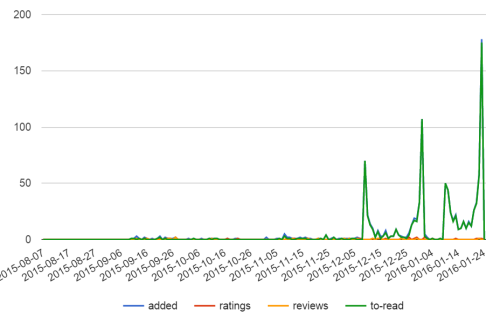
Also, I had a lot of fun checking my book stats:

Shizzle stats on 24 Jan 16

Did you know you can look up this chart for any book on Goodreads? It’s in the top right corner of each book’s page – look for “stats”. Just today, 175 people added it to their “to read” shelves!

So, what did I learn from comparing (ahm, staring at the charts) the two giveaways? My data seems to confirm that:

  1. You should open the giveaway to the entire world. Interestingly, the second giveaway started slower, but had more daily adds in “the middle”, the normally dead time.
  2. It is better to have two short giveaways than one long one. Heck, my short one doubled the performance of the long one! Any guesses why? Is it because it was open to all countries?
  3. I have another guess – it is actually better to give one copy than multiple. I know, I know, everybody says to give as many as you can, but I spent hours looking at most requested and least requested books, and I have a gut feeling that giving multiple copies (some people give away 25!) creates a feeling that the book is not that special. Giving one, and preferably autographed, copy creates the opposite effect – that you are competing for something rare and special.

Another thing I’d learned from looking at other people’s giveaways, that they don’t do one, or even two of those – some of the very popular titles have been on practically constant giveaways. I’m about to schedule another one, and want to test one of the factors – I’m thinking another two weeks, all countries, one copy, but this time unsigned. Does the word “AUTOGRAPHED” have any effect on the numbers?

I will let you know in about three weeks!

36 Comments

Filed under Self-publishing and marketing

Don’t fear HTML…make it work for you, one step at a time!

I was re-reading reviews of Shizzle, Inc (Isa Maxwell escapades Book 1) the other day. I do that quite often, actually – nothing like reading a good review of your book to get you out of the bed and to the keyboard. One of the reviewers mentioned that my book was somewhat similar in style to Confessions of a Shopaholic (Shopaholic, No 1). I personally think that it’s more like The Devil Wears Prada: A Novel or maybe Bridget Jones’s Diary. In any case, it was great to see my book compared to a bestseller.

You know what else is great? How easily I was able to sneak affiliate links into the paragraph above! Each one of these links is attributed to my affiliate account and could make me 4-6% on each sale. I was so excited about it, that I went back to my interview with Matthew FitzSimmons and replaced the links to his book The Short Drop with affiliate ones. It’s been months since that post, but a dozen people a week still find it from a google search for the author. It’s about time that interview started making me some money…and while I’m at it, why not sell Adult Coloring Book: Stress Relieving Animal Designs? It looks like SO much fun…

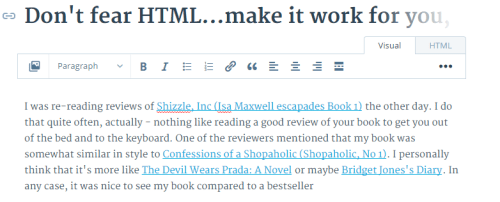
Okay, okay, I got it out of my system now! Back to my original promise – to teach you how to go nuts using affiliate links in your own posts. If you have not yet, read my how to create an affiliate link post first. Once you got an account with Amazon and can figure out how to get a link, the rest is easy – turns out, all I have to do is switch to HTML in the editor window – usually I just use the default “visual” setting. This is what the above paragraph looks like in visual (notice the highlighted “Visual” button in the top right corner):

Visual draft

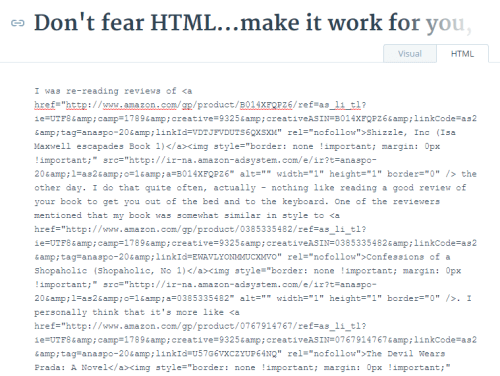
…and this is what the same paragraph looks like in HTML:

HTML draft

Scary mess, right? Actually, not scary at all. You can write the entire post in “visual” setting, if you wish, then switch to HTML and plaster affiliate code in the right places. Switch back to visual, check that it looks ok, and voila! You’re in business. Literally.

If you want a bit more info on how to use HTML in WordPress.com, visit this WordPress support post.

Have fun!

27 Comments

Filed under Self-publishing and marketing

Even more fun with WordPress widgets: how to create an Amazon affiliate link and make a ton of cents!

So I was procrastinating today and watching my sales creep up with eReader News Today, when I noticed that they are an Amazon Affiliate. How genius, huh? Not only they take our money to advertise, they get paid by Amazon, too. Not that I mind – of all the advertising websites I’ve tried, they’ve so far delivered the most value for the money…

They also gave me an idea – I’ve decided to become an Amazon affiliate too! Cause, you know, thousands of people are clicking on the Shizzle, Inc link…well, not thousands, just 100-200 per month, but that’s a start, right? So why not make the link an affiliate one and earn 4% on whatever sales happen as a result? At least it’s an experiment and something new to learn.

First things first – sign up to be an affiliate. Because I’m already registered with Amazon, it was ridiculously easy. Took about 5 minutes and I have no problems to report, or lessons learned – just make sure to have your tax number ready. The only bugger was that I can’t get paid by direct deposit, as I’m not in the US – so I’d opted to be paid with a gift certificate.

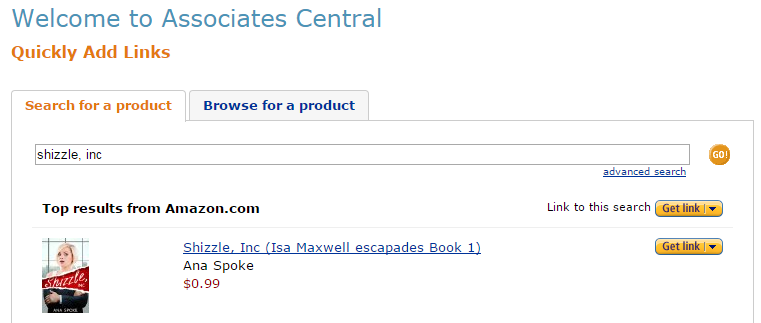
Next it came to creating a link – all you have to do is search for a product of interest, which in my case was Shizzle, Inc:

AA search results

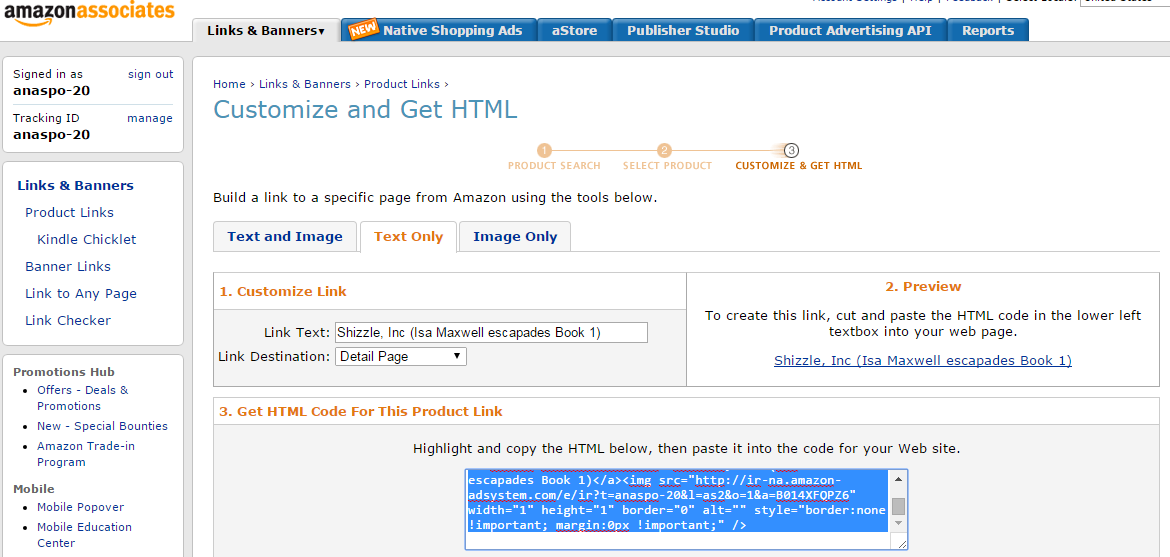
Once I’d found it, I clicked on “Get link” and chose “text only” – to make long story short, I could not get image and text html to work and have found a work-around.

AA html

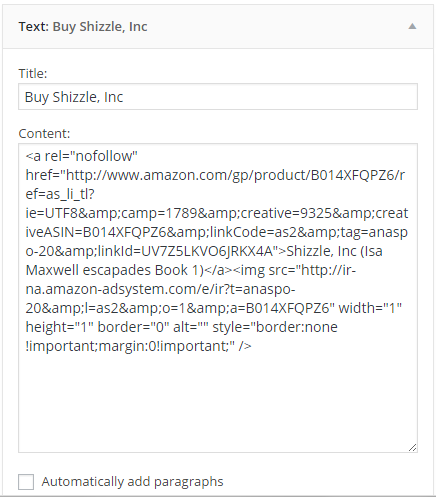
Then, I created a new “text” widget on my WordPress.com website – for more advice on creating links with text widgets see my MailChimp explained post. This is what this new widget looks like:

AA widget

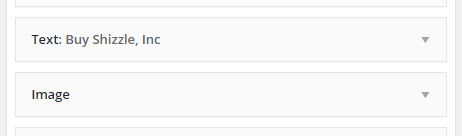
The tricky bit was how to make the link stand out. Previously, I’d created a link to Amazon using an image widget, which worked well and was easy to use – just click on the image and you are there. I didn’t want to have a “naked” link only and as mentioned before, when I pasted in “image and text” html, I ended up with a lot of code visible to everyone. So I cheated: I put a text widget with HTML in the sidebar first, followed by the image widget, but without title or url link:

Two widgets

And here you go – I now have a working affiliate link in my sidebar, which should be earning me a cool 4 cents each time someone buys a book via my website! Yay!

Have fun 🙂

72 Comments

Filed under Self-publishing and marketing

The coolest marketing idea yet!

Well, at least I think so! What makes it so good is that it should help me solve several problems most start-up authors face, namely:

  • How do I get more reviews?
  • How do I generate pre-release buzz?
  • Ho do I get people to sign up to my email list?
  • How can I do that at low or no cost?

Are you excited yet? Do you want to know what it is? Okay, okay! It’s simple:

Create a permanent ARC list.

What’s that, you ask? Let’s start with ARC – Advanced Review Copy. If you want a detailed explanation, have a look at Between The Covers. It’s basically a copy of the book made available to reviewers before the release. Using ARCs to promote your book is a well-known marketing strategy, and other blogs, such as Savvy Writers and eBooks Online or Finish Your Book have posted detailed instructions on how to do that.

Oh, you say. So then what’s so special about your idea?

Glad you’ve asked! The one thing I could not figure out was whom should I send these ARCs? I’ve even started compiling a list of book review blogs, but it turned out that lots of them have gone quiet. It was frustrating to spend so much time looking through their posts to try and figure out if they’re active, if they have a following, and how to contact them. Then it hit me.

I already have reviewers.

I have my own group, who have discovered me, bought Shizzle, Inc and posted reviews. They’ve been asking for a sequel, which means that they are the most likely people to read and review any of my future stories. Eureka!

Get to the point, you say? Okay, okay! Here it is:

If you have written a review of Shizzle, Inc and have posted it on Amazon.com or Goodreads, or both, I will send you an electronic copy of all my future books for free.

I’ve created another MailChimp list using the steps explained in my previous post. To sign up, click the link at the top of the sidebar or click here. You will need to provide a link to your review – sorry, this is the requirement to get on this super exclusive list. I reserve the right to delete any applications without a valid link. I also reserve the right to stop offering subscription to this list, so get in early!

I know what you think, how crazy am I to offer the books for free, in perpetuity. I don’t know if this is crazy or genius – time will tell, I guess. My hope is that it will get me the reviews and the buzz I need to get the momentum going. It’s also a great way to say “thank you” to the people who have taken time not only to read the book, but to help spread the word. Thank you, guys!

The sequel to Shizzle, Inc will be published in May – I will email copies with Uncorrected Proof watermark to the ARC list in April, while the sequel is on pre-order.  Let me know what you think of this plan 🙂


20 Comments

Filed under Self-publishing and marketing, Win a free book!

MailChimp signup for WordPress explained, plus get a free prequel to Shizzle, Inc!

Thank you, everyone, for providing advice and tips on how to get started with MailChimp! It motivated me not only to get my list and signup form organised, but also to finally publish a short story compilation. It’s a collection of three short stories that begin to shed some light on how Isa came to be the character that she is:

THIS IS WHY flat

What do you think of the cover? I was in a hurry, so will play with the title font more some other time. I found another image of the same model on Shutterstock – and by the way, I found a coupon for 10% off an order online, and it worked! The coupon code is “SS10”, in case you are interested. Anyway, back to This Is Why: this little book is NOT AVAILABLE ANYWHERE else – I will not be publishing it on Amazon, at least not until I come up with another half-dozen or so stories. It is my gift and bait to get you to join my brand new email list :-).

Speaking of which, yay! I already have 6 subscribers! That all happened while I was busy writing this post – and even before I’d made promises of the free stories. Wow, thank you guys so much – and if you didn’t get a copy of This Is Why, let me know, and I will email it to you. I promise not to spam you – the purpose of the list will be to make sure you don’t miss out on time-limited opportunities, like the next free cover giveaway, or a new book going on sale or given away for free. If interested, please click here or on the link at the top of the sidebar – I’m calling it my hush-hush VIP list…

It feels good to join the ranks of marketing gurus…and, as promised, this is how you can do it too:

I’d started by trying to use step by step instructions in this Ultimate Guide to Using Mailchimp and WordPress, but the code for the text widget did not work for me, instead displaying the naked code for all to see. An HTML-fluent person could fix it, but I certainly couldn’t.

So then I’d tried Aniko Carmean’s instructions and they worked beautifully! NOTE: make sure there’s no duplication of quote marks, or anything like that – at first my link sent me to an “oops” page, but I managed to resolve it by removing one duplicated quote mark. Technology…

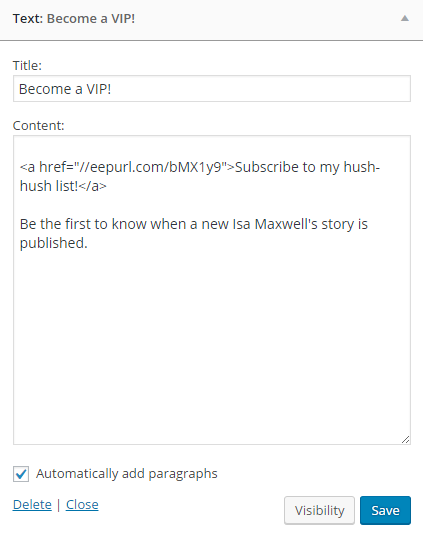
Just to make sure we’re on the same page, this is what my Text Widget looks like:

Widget text

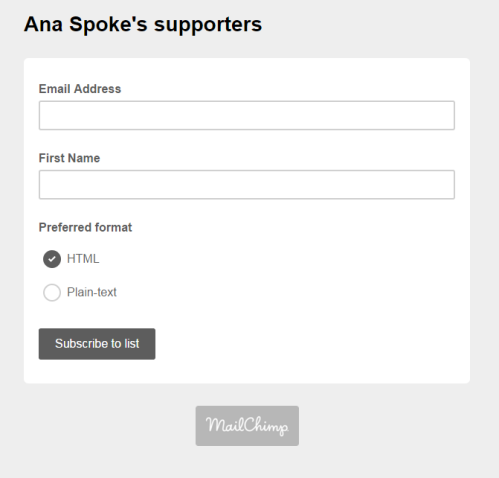
Clicking on the link will take you to this signup page. I called it Ana Spoke’s supporters – because that’s what you guys are to me:

Signup page

I chose to only ask for the email and first name, no last name or anything. As simple as possible. I also didn’t mess with any formatting, because, luckily, the font and color scheme fit nicely with my blog theme. Aniko’s directions do talk about formatting, just in case youre interested.

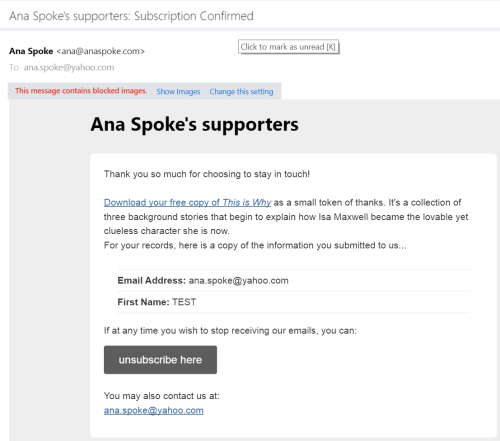
Next, I had to figure out how to provide the free prequel copy with the signup. At first it was a headache, because I knew which form to use, but could not figure out how to attach a file to it. Luckily, MailChimp has a guide on how to do just that – I can’t post a link for some reason, but just search MailChimp Help for “send a file to new subscribers” and you’re in business. Basically you need to start a “final welcome email”, click on the suggested sentence in a red dash-line box, which opens the editor similar to WP one. Write the message, then highlight the words you want to turn into the link to your file, click on the link icon above (again, so similar to WP), and choose “file” from the pull-down menu. After the user confirms their email subscription, they will receive a confirmation email that looks like this:

Screenshot (41)

Someone suggested setting up the gift in Instafreebie, which I think is a good idea. I’d decided to just send a pdf, as I’m not too worried about the copyright in this instance and wanted to keep things as simple as possible. If you decide to send subscribers a whole book, do look into Instafreebie and let us all know how it works for you.

Speaking of keeping things simple, I’d decided not to use CAPTCHA. I opted for it at first, but then, when I did a test subscription myself (which I highly recommend you do as well), I found it extremely annoying to have to pick which of the collage of photos have pancakes. Please! I wonder how many subscribers I’d lose at that point…

WORD OF CAUTION: apparently by law (CAN-SPAM Act) you’re required to display your physical address in every email and even when people subscribe! You can’t opt out of this requirement – believe me, I’ve tried. The address can be a P.O. Box, but it has to be a valid one, where you can receive mail. For now I’m using a friend’s P.O. Box, and will set up my own this week. You can put a fake address, probably, but why risk a $16,000 fine?

So there you go – it’s possible, relatively easy, and it works! I will keep monitoring the progress and keep you updated, as always. Thank you all so much!

26 Comments

Filed under Self-publishing and marketing

So I got myself a MailChimp…

Question is, what do I do with it? Everybody and their grandma seems to advise building an email list, but is it really that different from “subscribe to blog via email” ? I mean, would anyone want to get a newsletter from me, considering that I already document every step and event along the way? Not to mention, I can’t even figure out how to add the sign up to my WP theme…

Does anyone have experience building an email list, and if so – was it worth it? And how do I get a signup form into a template?

Sorry for this completely uninformative and uninspiring post. I promise to make it up with the next one!

75 Comments

Filed under Self-publishing and marketing