Tag Archives: Book

Anyone wants to host my blog tour?

Hi, everyone,

With the publishing rush almost behind me (still need to fix a couple of formatting issues), I’m looking forward to the next phase – marketing and shameless promotion. On my list of things to do is a blog tour – would anyone be interested in hosting my guest blog or doing an interview? I would offer to host yours in exchange. Probably worth mentioning that I’m not interested in paid reviews, only the genuine ones.

Please let me know and thanks again for your support!

127 Comments

Filed under Shizzle, Inc.

Quick How-to: download a free Kindle app

Hi, everyone,

I’m so glad to hear that my little post on using an image widget to link to your Amazon book has helped so many people! I thought I would share with you how I’ve used the exact same process to make a link to the Kindle download page. Several people have asked me for a print copy of Shizzle, Inc because they don’t have a Kindle. I’m about to embark on a process of publishing a paperback, but you may not be aware that you no longer have to buy a Kindle. You can download a free Kindle app  for your smartphone or tablet.

I have put a link to the above Kindle download page into my sidebar as well, right below the link to Shizzle, Inc on Amazon.

Hope this helps too!

12 Comments

Filed under Self-publishing and marketing

Quick How-To: adding a link to Amazon from your WordPress.com blog

You may have noticed that at the top of this blog’s right-hand sidebar there’s now a pic of the Shizzle, Inc cover with an invitation to download. If you click on it, it will take you straight to Amazon Kindle (the American one).

You may also wonder why I haven’t done it to begin with, as soon as the novel was published. The answer is, I couldn’t. In my naivete, I assumed that there would be an easy-to-use widget like the one WordPress.com has for Goodreads, but there isn’t one. I don’t know why. Maybe WordPress and Amazon have had a falling out, Like Paris Hilton and Nicole Richie. All I know is that setting up this little link was a pain.

I won’t take you through everything that I had to go through – suffices to say that there’s A LOT of useless, outdated advice out there. In summary, THIS WILL NOT WORK:

  • Trying to insert HTML code, as per Kindle own instructions. This is probably meant for WordPress.org websites.
  • Trying to use Text Widget.
  • Trying to use any other widget, like Goodreads, and posting a url somewhere. (Ok, so it was a stupid idea, but innovative!)
  • Crying.

JUST DO THIS:

1.  Add an image of your cover to your media library (see Media in Admin sidebar).

2.  Add an Image Widget (go to Appearance – Widgets in Admin sidebar). The dialog box will look like this:

Capture of image widget

3.  Put a widget title in, if desired. I put in “Download Shizzle, Inc.

4. Now go back to your media library, find your cover image and double-click on it. You will see this:

Capture of image in image library

See the box in the top right corner? Copy THAT url (ignore the permalink or the “shortlink”).

5. Paste the url in your Image Widget.

6. Save and move the widget up in your sidebar (if desired).

7. Go back to your website and admire the results!

Hope this has helped or will help you in the future. It will certainly help me when I get to post my second novel, cause I’m guaranteed to forget it all by then.

51 Comments

Filed under Self-publishing and marketing

Post-launch update

Hi, everyone! Thank you so much for all the good wishes and support – and thank you triple to those who bought my book!!

It’s been quite a ride – the adrenaline rush of finally getting it there, the rush of checking and rechecking stats, details, replying to blog comments, and updating my family with blow-by-blow accounts of progress. I was so deep into the lala-land that going to work this morning was like waking up from a dream. And I wasn’t happy – if anything, these last few days proved to me that I want to be a writer and create comedies, not more spreadsheets and reports. It looks like Fate has the same idea, as I’ve already missed out on one of those two jobs I was so excited about, and it doesn’t look like I’m getting the second one either.

But enough about reality, let me have one more check of stats…here we go, the results of the first day or two:

  • Five books sold! And only two of those to friends or family – the other three bought in the US and Great Britain – thank you again 🙂 Here’s what the sales page looks like:

sales day 1

  • The initial sales rankings prove the importance of choosing just the right category for your book:

Sales rank - benchmark day 1

  • New record for the blog – 429 views in one day!

Screenshot (10)

I’ve also had a few issues/learned a few things:

  • Even though I’ve done page breaks, the text runs together, without any blank space to separate chapters. I’m not sure if this is actually an issue, or if that’s what ebooks look like (will have to check a few that are definitely not self-published). Also, I don’t have a real Kindle – how does it look on the proper Kindle device?
  • There was no need to worry about who the publisher would be – I’ve put Ana Spoke as a publisher, but it’s still “sold by Amazon Digital Services.”

Publisher vs sold by

  • The text lines in Kindle app are spaced too close for my liking – it seems that whatever spacing you choose in Word does not translate.

I’m so exhausted and emotionally wiped from the effort of this last weekend, that I could not bring myself to research any of those or attempt to fix them, but it’s a project for later on this week. Another project for this week is to create an author page and add a bio and a professional headshot – I have a photoshoot on Saturday with a friend who just happens to be a professional photographer. I will also post a review of Grammarly and results of my current marketing gimmick – stay tuned 🙂

41 Comments

Filed under Shizzle, Inc.

T-minus 12 hours and counting! Plus some random Kindle formatting tips..

Today I’ve uploaded Shizzle, Inc text to Amazon. My whole body was shaking as I did it. About half a dozen times.

Turns out that my premonitions about formatting mishaps were true. There were not that many, and I resolved everything in a space of a couple of hours, but here’s what I’ve learned in the process:

First, the good news:

  1. Uploading your book to Amazon is RIDICULOUSLY EASY. Fear not if you’ve never done it before. Assuming you already have an Amazon account you’ve used to purchase books. Otherwise you have to set one up, and it would probably take twice as long. It’s literally a couple of pages and takes about 10-15 minutes. You can preview your text, make any changes in your Word file and upload the new version (takes about a minute).
  2. Note: you can’t have multiple accounts with Amazon. If you use a pen name, it would be a matter of setting up an author page under the pen name, which I’m yet to do.
  3. If you are a first timer, like me, use Word to write your book. I can’t really talk about Scrivner since I’ve never used it, but why complicate something that is already complicated enough? I credit the relatively easy conversion of my text with the fact that I’ve used good ol’ Word.

The not so good news:

  1. I’ve spent an exuberant amount of time fussing over the drop caps and inserting them into text at the beginning of chapters and then again at scene changes. I’ve previously used asterisks in the middle of the page to signal a change of scene. Finding and replacing them was a lot of work, so you can imagine my disappointment when in Kindle they displayed so far below the first line, they looked like “buried caps.” I tried googling solutions, but the consensus was JUST DON’T DO IT. So I spent more time going back and trying to figure out how to highlight the first line/first letter. In the end, I’ve decided to do nothing.
  2. You don’t need to stress over the fonts because Kindle will translate whatever carefully chosen font into its own standard. This could even be considered good news, if IT WAS BROUGHT TO MY ATTENTION LAST WEEK, before I spent hours researching, changing, trying out, and changing the font again.
  3. Make sure that you use the style “Headings” for your chapter names and not “Chapters”. Otherwise your table of contents will be empty. Hey, it’s an easy mistake to make! I actually decided to take “Chapter XX” out altogether in the end, and I think it makes for a cleaner, simpler presentation.

The most amazing news:

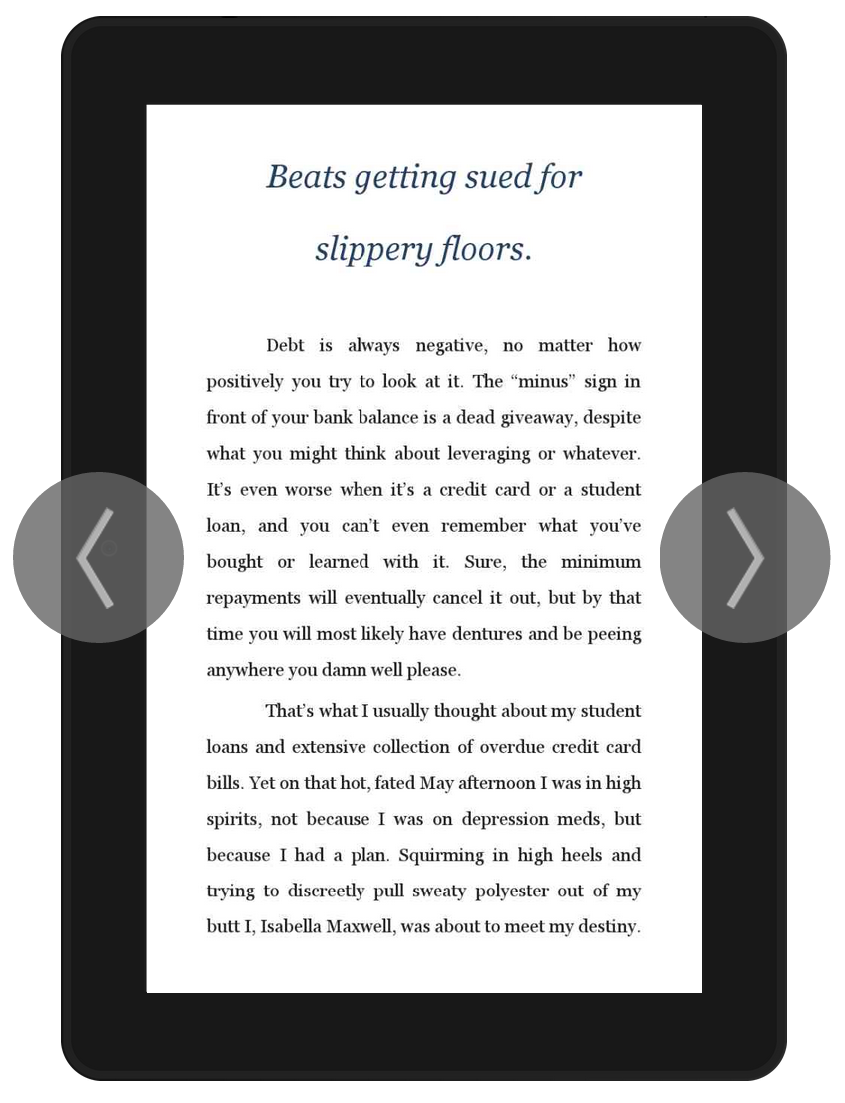
The text has been uploaded! No more editing! (Unless of course one of you points out a really stupid mistake and I fix it, but let’s just keep it between friends, okay?). This is what it will look like on a Kindle device:

Screenshot (9)

I could have published it already, but I just have to have one more fiddle with the cover image. I’m going to bed now, along with all other Australians, but will be up bright and early to finish it up. That’s if I can sleep at all 🙂

34 Comments

Filed under Self-publishing and marketing

T-minus three days and counting…

First of all, thank you, everyone, for your advice and thoughts on whether I should buy my own ISBN and/or set up my own publishing company. After coming off a major adrenalin rush, reading your comments, and making a call to my local Australian Bowker, I had a plan.

I’ve decided not to bother with a publishing company, because, as someone pointed out, people “in the know” will know right away. Several comments even stated that self-published authors may get more support, or that some readers may even seek fresh, new books by indie publishers. All that, plus I really can’t handle more “unwriting” work right now. My little engine is sputtering as it is.

I did, however, buy a block of 10 ISBNs. One of the reasons was vague concern that I will be stuck with Amazon and Amazon only (to be honest, I’m not at all clear on this yet, information overload). Another one was that it turned out Australian-purchased ISBNs are cheap as chips! This will be probably the one and only product that costs significantly less in Australia (I still can’t get used to the price of shampoo and houses. Or food. Or cars. Oh, America, how I miss your cheap prices…). Anyway, if you go to the American Bowker site, you have to shell out a cool $299 USD for a block of 10 ISBNs. But go to MyIdentifiers AU and you can get the same exact ISBNs for just $84 AUS, which is about fifty American (plus a one-off first-time publisher registration of $55 AUS). I’ve called them up and asked if I can use the numbers to sell in the US and they said yes, the key being “International” SBNs. I’ve already assigned one of the numbers to Shizzle, Inc as a forthcoming novel!

Screenshot of Bowker page

The ISBNs allowed me to register Ana Spoke as the publisher, so I’m all set there and even added the two numbers (ISBN-10 and ISBN-13, whatever they are) to my copyright page.

I’ve also been busy with the very last, definitely final, absolutely, positively final text polish. It’s amazing that after at least a dozen self-edits and three professional edits, I can still find things to tweak and improve. Today I’m about to buy a year’s subscription to Grammarly. At first I was all like “I’m not paying $139 after $3K of professional edits”, but after installing the free version for my browser, I’m sold. Grammarly is checking this post as I’m typing it, and I can’t help but think that it’s doing a better job than sometimes-retarded Word. I may decide to get just a trial month, but then I was thinking of how many documents I have to write for work, including constant job applications. Grammarly very well may make me a better writer.

Speaking of polishing, I’ve also finished (I hope) formatting the text. Here is the “before” shot:

Before makeover

And here is the same one with hair and makeup:

Text after makeover

I’ve done just a few things:

  1. Set up headings and a proper Table of Contents, which is supposed to translate easily to Kindle, with live links to chapters. Time will tell if it’s so.
  2. Changed font to Verdana. It’s on the list of recommended fonts for Kindle and one suggested as the easiest to read on the phone.
  3. Dropped caps, like they’re hot! Very easy to do, go to Insert – Drop cap or read this for a step-by-step guide: How to Create a Drop Cap.
  4. Offset paragraphs. I was reluctant to do that, I prefer the blockier office look, but when I looked at a few fiction books, they all had offset paragraphs. Here are a couple of very thorough guides on all steps you need to take in order to format your book for kindle: Amazon’s own guideFormat Book in Word blog (dedicated to book formatting) and CJ’s easy as pie Kindle tutorials.

Thank you once again for all your help. I will try to stick to my self-imposed deadline of this upcoming weekend. Look out for a buzzing, over-exuberant, tear-stained email in your inbox!

39 Comments

Filed under Shizzle, Inc.

Just a little progress

I’ve been sick for a few days. It’s winter here, down under, and it doesn’t help that I use public transport to get to work every day. Nothing like packing into a tram with a hundred other coughing people on a dreary gray morning, to remind me of my Soviet era childhood. Needless to say, I’m not at all nostalgic about it. I took a sick day and tried to sleep it off, but my brain is still no working so good.

Despite the general mental fog and lack of interest in anything outside the bed, I’ve managed to progress a little. First of all, I’ve made a decision on what to do about the proofread. Thank you so much to everyone who took time to read and advise me on my latest predicament. I’m going to persevere with the option #2, which is to get back to the editor and resolve what I perceive to be issues. I’m currently going through the manuscript, from the beginning, compiling a list of all the changes I don’t understand or agree with, and hope to send a complete list to her later today. In the process of doing it, I’ve realised that she’s actually done a good job overall, very thorough. I’ve also realised that I have a ready editor right next to me, in form of my fiancé. Why it has not occurred to me to ask him before, I’m not sure (refer mental fog), but it turns out his private school and uni education is worth something :-).

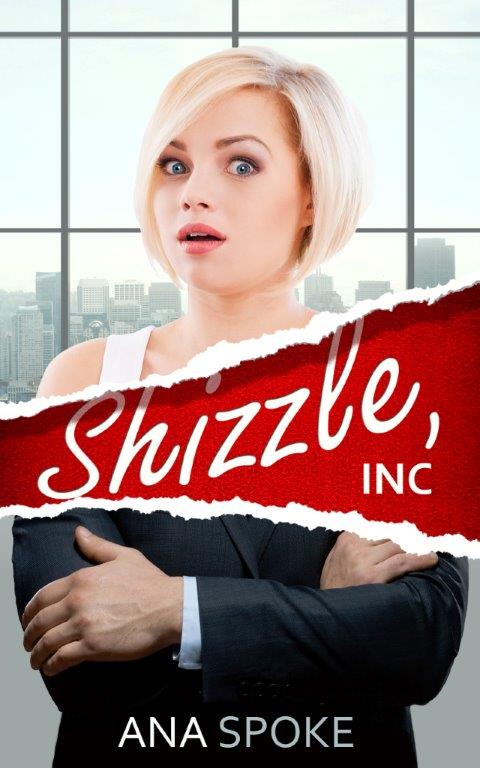
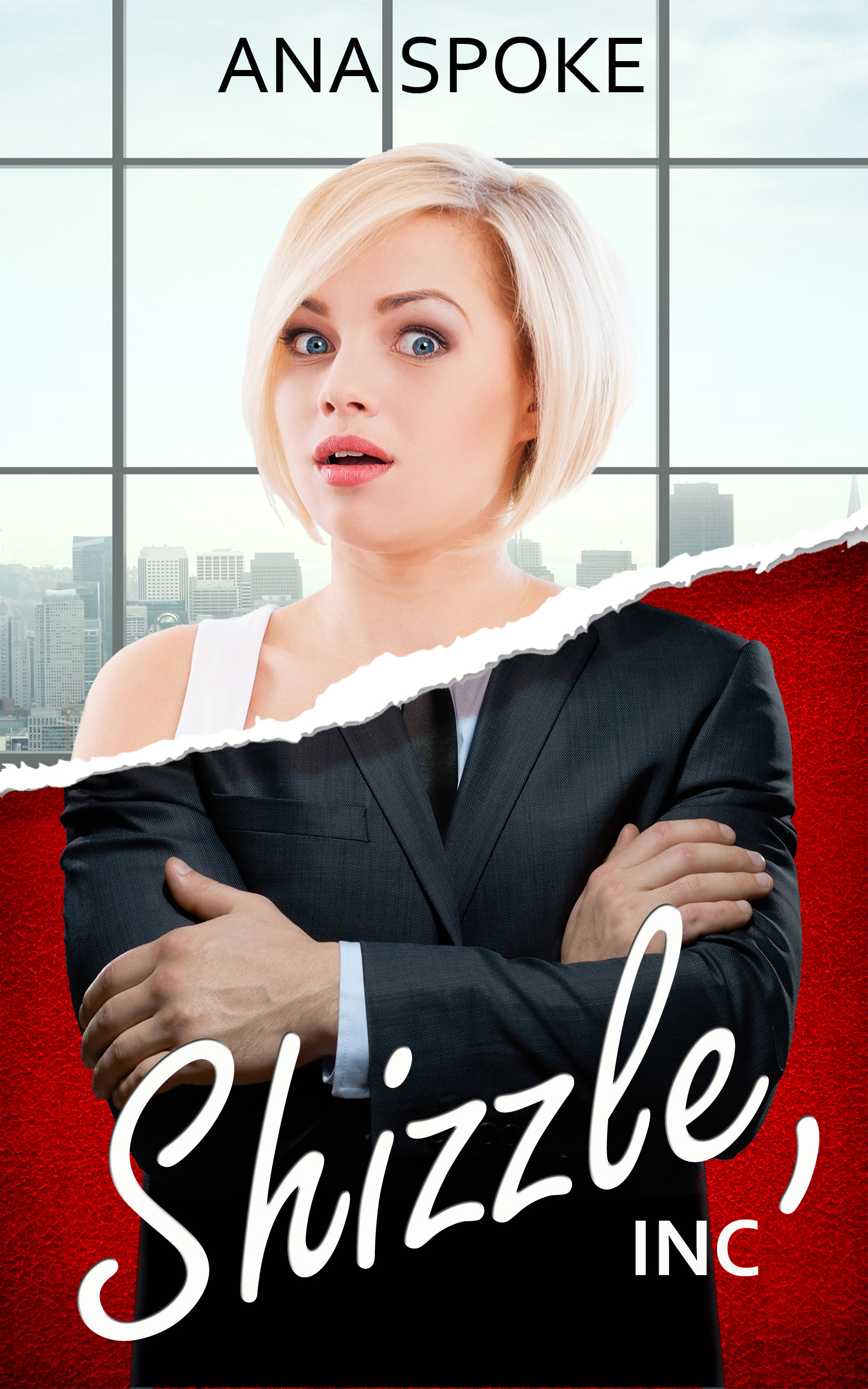
There has also been progress on the cover front. Due to popular demand from the focus group (thank you so much again!!) I have reverted back to the double rip, but used the more script-y font:

latest 16 August

It’s not finished yet, but I think the future changes will be very minor, as in fiddling with font color or placement, and maybe color saturation or overlays. There will never be a perfect cover to please everybody, but I’m quite happy with the feedback so far, which suggests that it’s catchy and interesting enough. I have certainly loved the process of working on it myself.

So there you go. Not too bad for the sneezing, coughing, mess that I am at the moment. Back to bed, I guess 🙂

45 Comments

Filed under Self-publishing and marketing

What do I do??

I have a dilemma. Last week I have received my manuscript from the proof-reader. There were a lot of changes, especially in punctuation and grammar. She did say that it was more than she would have expected, so you can imagine my concern.

Anyway, I got to work reviewing and accepting changes. Then, at about a half-way mark, I finally had to admit that “something ain’t right”. Specifically, the following two types of changes appeared over and over:

1. Adding a comma before “and” in a simple sentence, such as “Blah, blah,” he said, and offered his hand.
2. Past perfect everywhere, such as “I had never even heard of it before”.

I have googled the bejesus out of these two points and found that:

1. No comma. The only way a comma would be appropriate, if it was an independent clause, such as:”Blah, blah,” he said, and then he offered his hand. Note that there are two subjects, “he” and then “he” again.
2. It should be “have”, because while she’s never heard of it before, she’s heard of it now, as in “I’ve never even heard of it before”.

Still, I was not sure. After all, I’m Russian and the proofreader is educated and may I mention, being paid for this. I have emailed the proofreader. No answer. I finally got her on the phone. After I finished describing the point 1, I asked what rule dictates the comma. The answer? “No rule”.

“Then why is it there?” I asked.
“There’s a pause there, so it felt natural to add a comma,” she said.

I was flabbergasted. I am not paying for an opinion, I’m paying for expertise.

“The manuscript seems overpunctuated,” I said.
“You don’t have to use it,” she said, cool as a cucumber.

I was so shocked that I forgot to bring up point #2 and got off the phone. I feel like a deflated baloon, not even sure if there are other changes she’s suggested based on how it feels, rather than the grammar rules. I’m not sure what I should do. The way I see it, I have two options:

1. Pay her and forget about it, instead starting from the beginning and going through the manuscript and suggested changes myself, researching each questionable point. Pros: one hell of an English lesson I’ll never forget. Cons: hella pissed off about paying someone to confuse me.
2. Send it back to her and tell her to re-do using English rules and not opinions, if she wants me to pay the full price, or negotiate a discounted price to finish it myself.

My sweet and kind partner thinks I should not fight her. My feisty sister’s advice is “it’s on!”. What do you think?
183 Comments

Filed under Self-publishing and marketing

I need a deadline

Otherwise there will be a hundred cover versions! Good news is that I will have the final draft from the proofreader in just a few days, so the torture is almost over. For now, please join me in nitpicking on these:

FINAL COVER 4
FINAL COVER 3
FINAL COVER 2

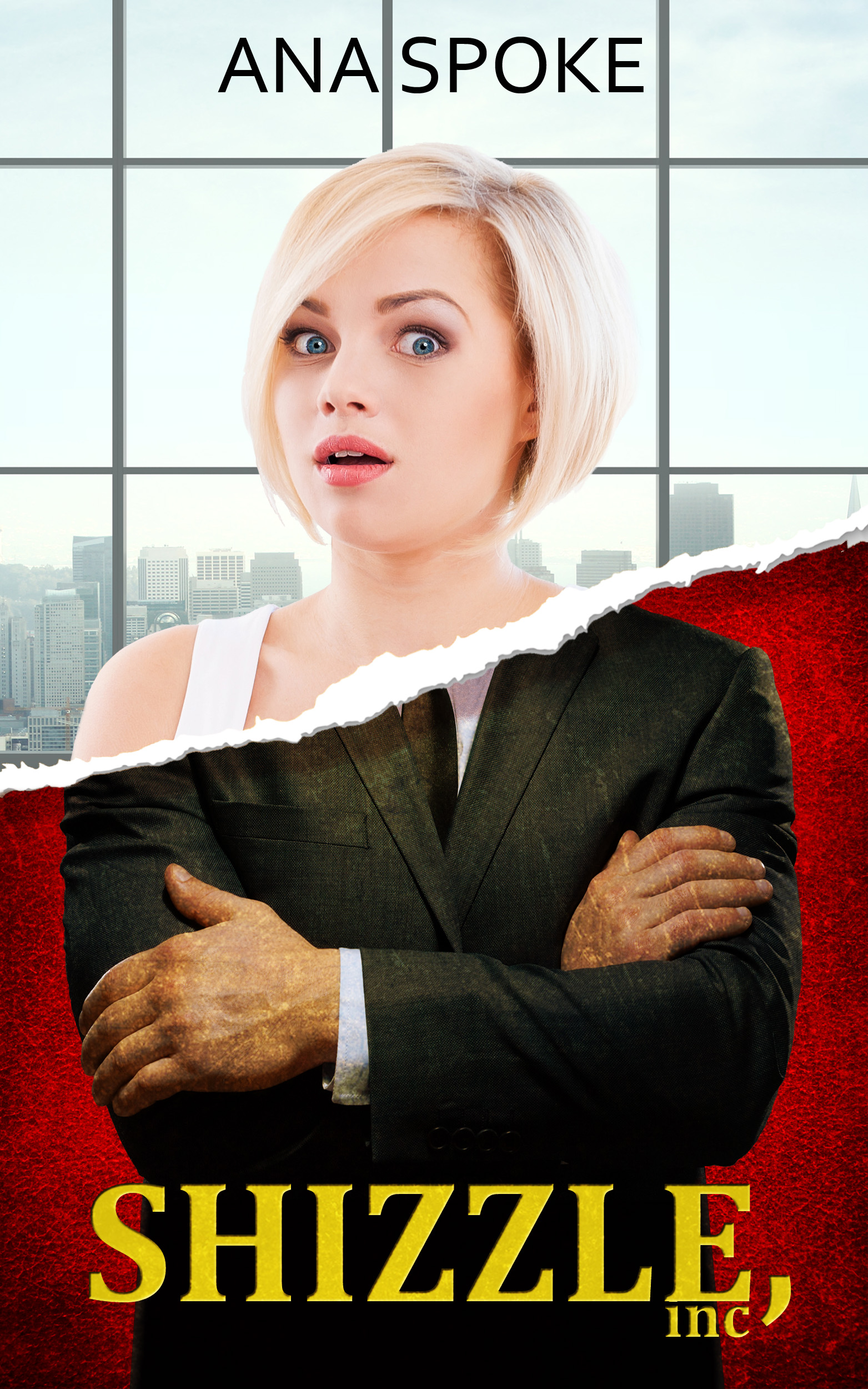
I have decided to move away from the double-rip, the last version of which looked like this:

FINAL COVER rip version 1

Once again, I’d love your comments. If you’ve had enough, I completely understand and promise that this one will be the very last post about cover design. Ever. Probably.

148 Comments

Filed under Self-publishing and marketing

The never ending cover story

Ok, I know you’re sick of this by now, but…Just. One. More. Time.

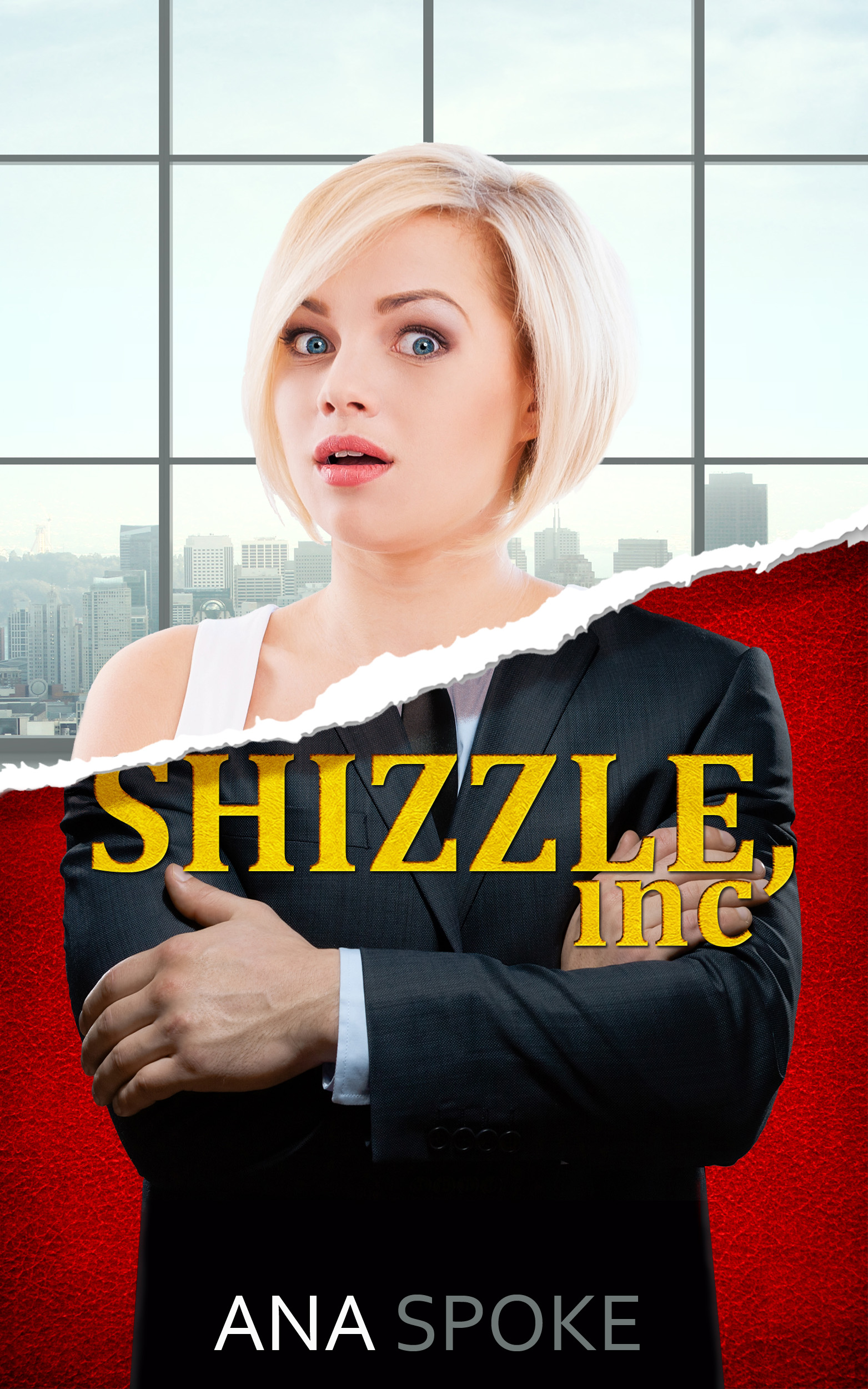
At least I’ve managed to pick one of the two concepts. I went with the more literal one, which also happens to use a face. The research shows that people respond to faces, and it also shows that I respond to research findings. So there you go, one decision made.

I’ve also spent hours searching Shutterstock for better images. Here are the previous version (on the left) and the new one (on the right):
Version 3 vs version 4
I’m practically in love with this new model. Not only her facial expression is spot-on, she’s also not stick-thin, like most of the pretty blond girls on Shuttersock. At one point, desperate, I was going to hire a model and a photographer, but I don’t think I could wish for a better girl.

I’m also happy with the background, which (when I pay and download a proper photo) shows a view of a downtown city. The colour is also fitting.

The man’s arms read better, but some people were confused and thought Isa just has “man hands”. May have to look more.

Not at all happy with lettering, but being an optimist, I’m sure a solution will come to me, maybe in a dream or in the middle of a meeting.

So there you go. One baby step closer to the finish. Brilliant ideas and suggestions would be much appreciated!

24 Comments

Filed under Self-publishing and marketing